
Documentation
Learn all the ins and outs of building in Documint.
Community
Join in on the discussions on the Documint community.
Agency Partners
Get expert help with your project from a trusted partner
Developers
Documint's official API
Roadmap
A list of what we're working on so you know what to look forward to.
Template Creation Service
Save time and let us create your templates for you.
Documint e-Signatures: Generate, Send, Sign.

Documint's e-Signature: Streamline your signatures fast and easy
Documint’s built-in e-Signatures make signing fast, secure, and seamless—no extra apps, no manual steps. Add signature fields to your template, route documents to the right people, and track everything in one place.
.gif?width=1134&height=640&name=0925%20(1).gif "0925 (1)")
How it works
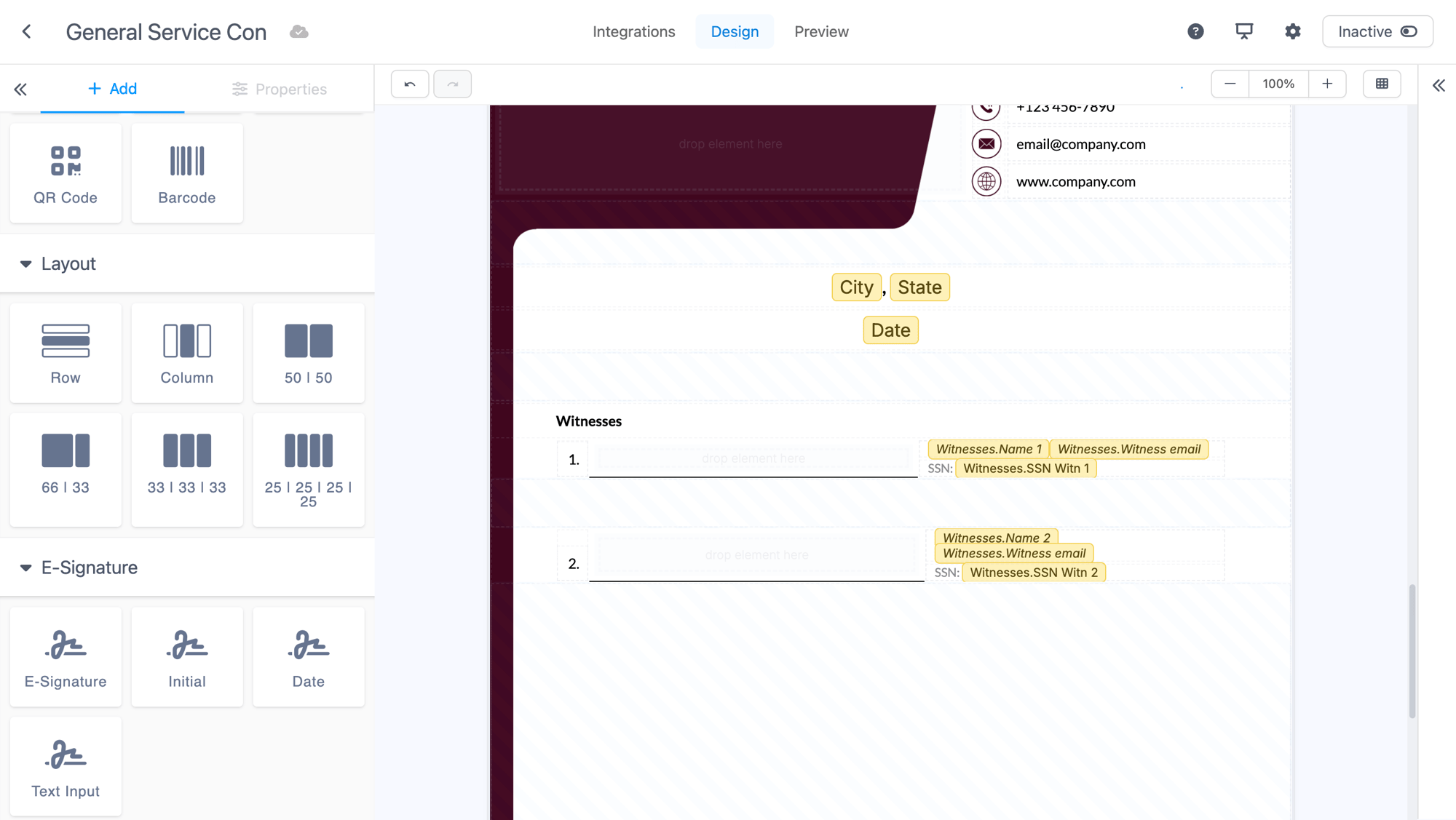
1. Add signature fields to your template
Drop in what you need: Signature, Initials, Text input, and an optional Signature date stamp. Decide if a signature is required to move a multi-signer process forward.
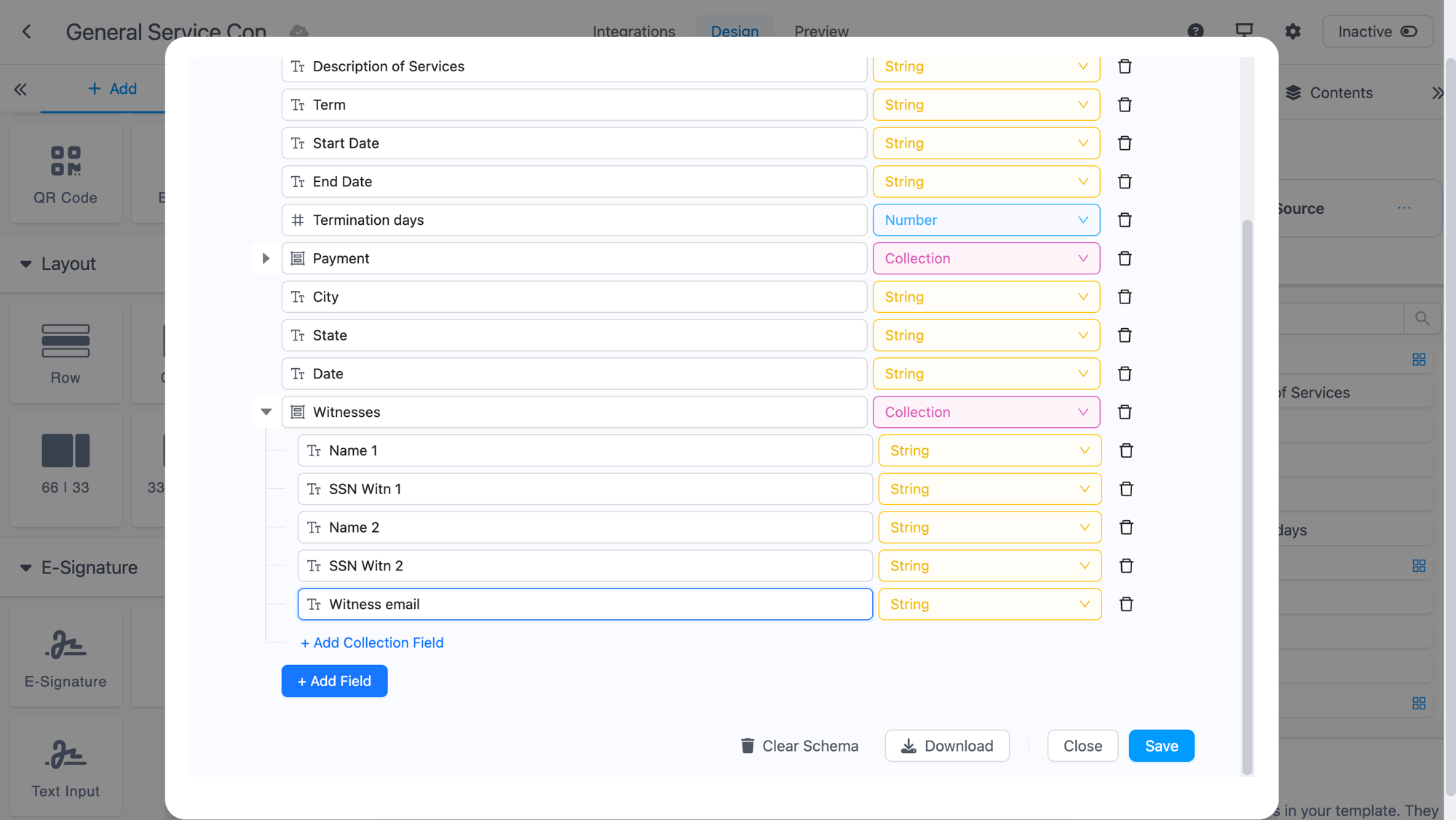
2. Connect your signers from your data
Documint pulls signer information directly from the data source connected to your template, so names and emails are always in sync—no copying and pasting.
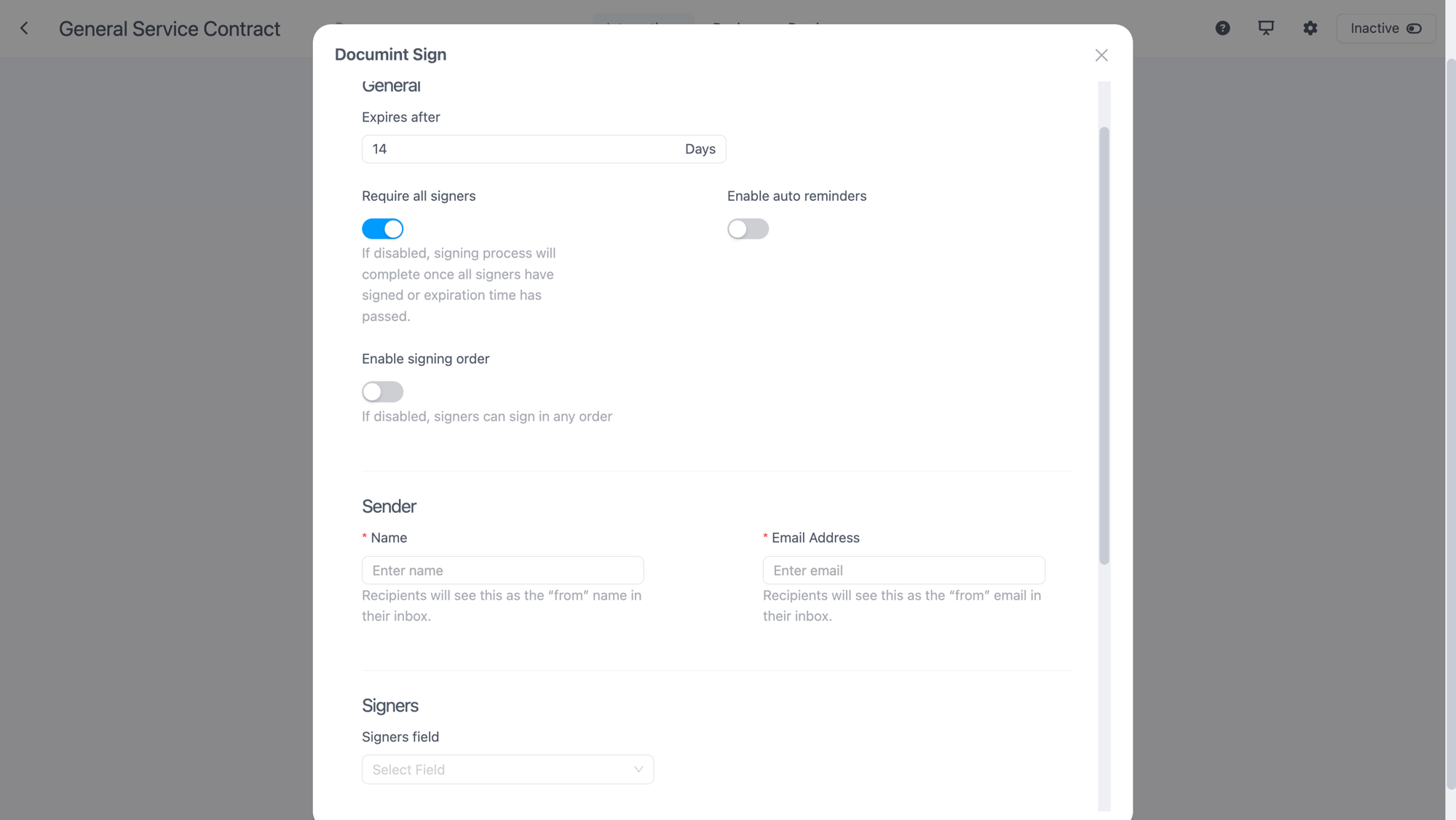
3. Finish setup in Integrations
In the Integrations section, pick:
- The data variable Documint should use for signers
- The time limit (expiration) for the document
- Whether all signatures are required
- Sequential vs. all-at-once delivery
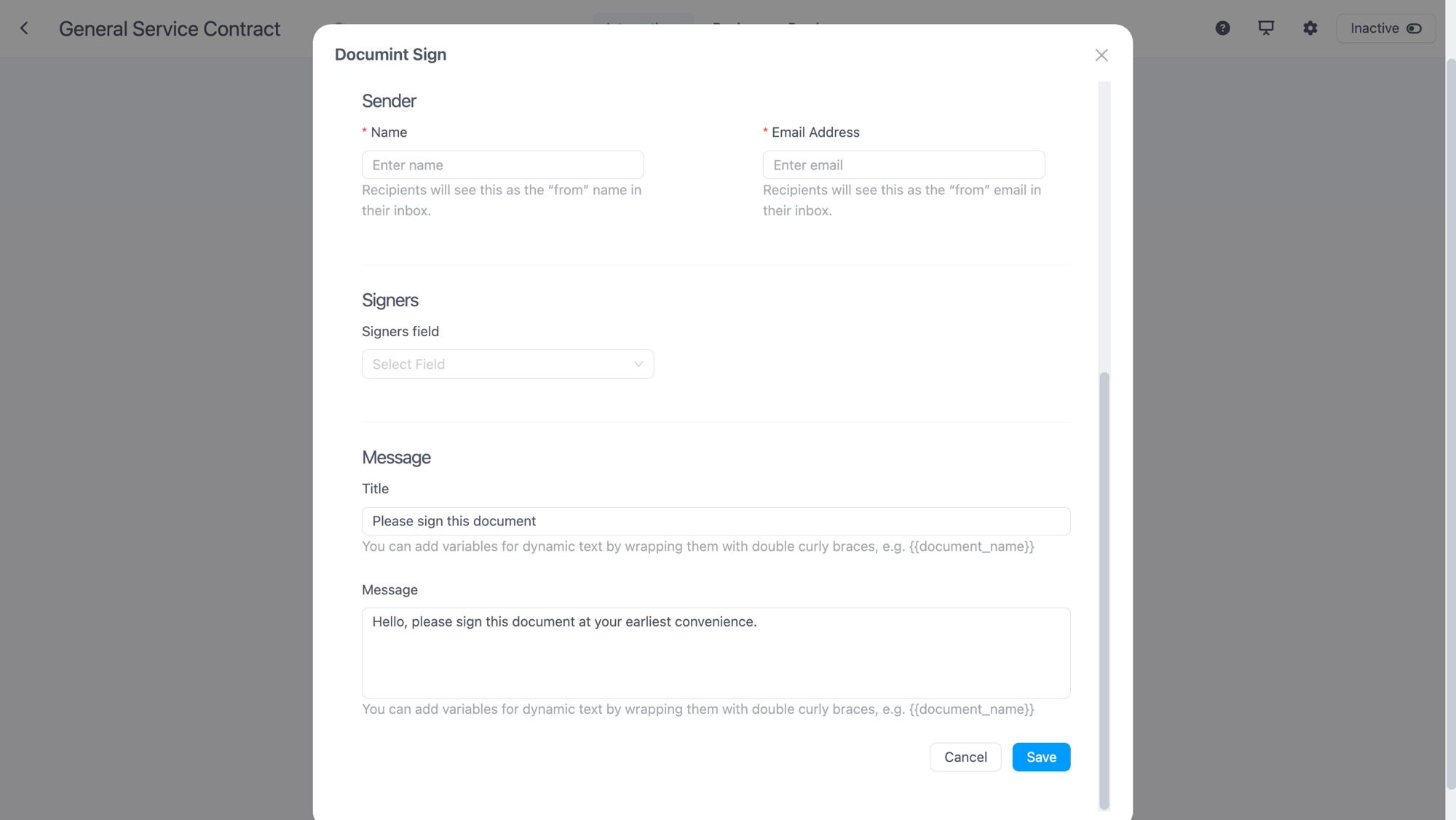
4. Customize the sender & message
Set the sender name and email and tailor the invitation email your signers receive.
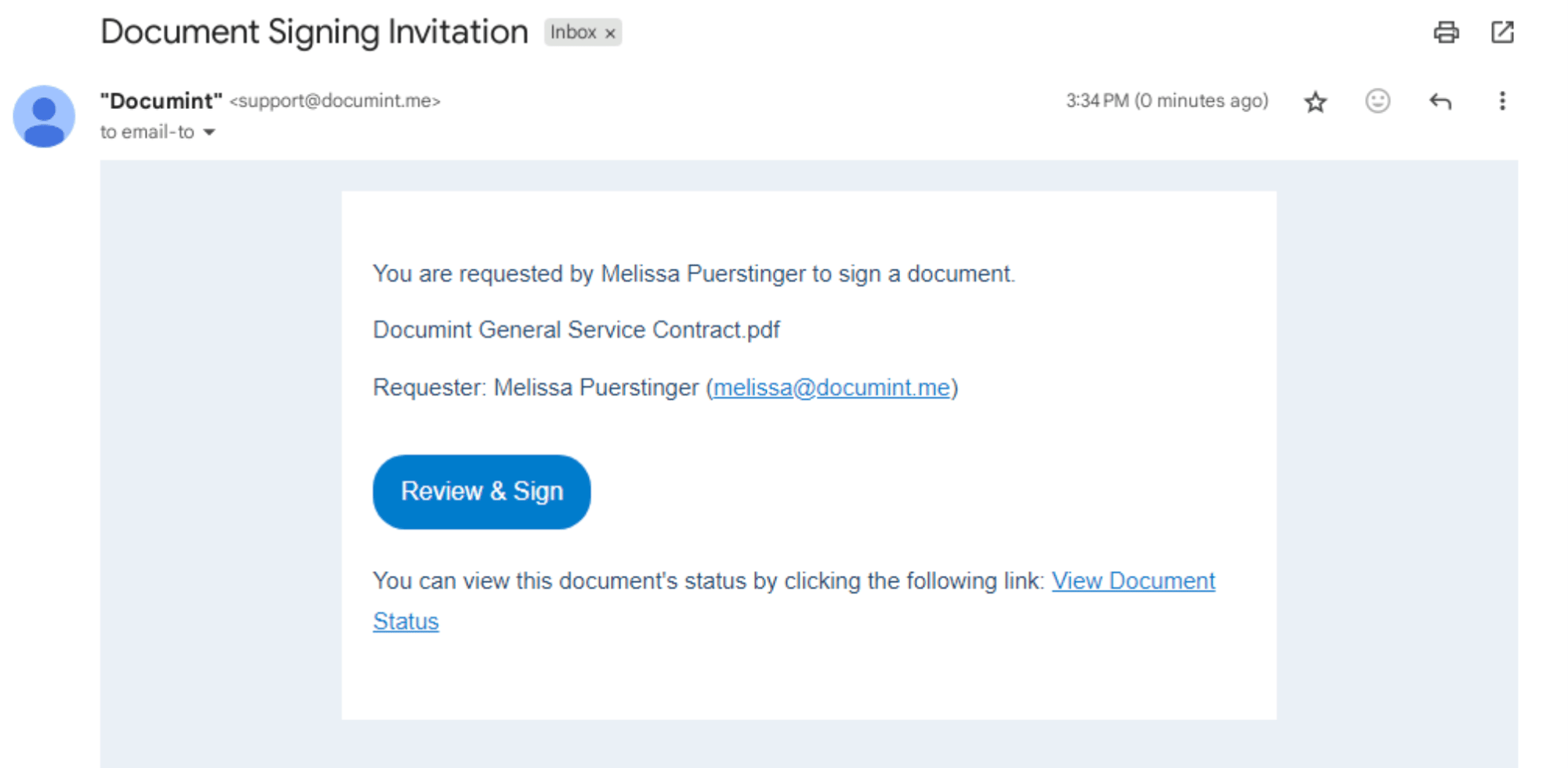
5. Send, sign, done
Each signer gets a secure link to review and sign on any device. When the document is completed, Documint attaches a tamper-evident audit trail—recording who signed and when—right alongside your e-Signatures.
Can I use e-Signatures for Free?
e-Signatures are available for all paid plans. If you wish to test the feature on a free plan, get in touch with support.
What is the difference between signatures and envelopes? How does your pricing work?
Why do I need two tables for the setup in Airtable, can it be just 1 table?
- The primary table holds the main document data.
- The secondary table holds signer details and links back to the document.
The amount of signees change depending on the document?
Does Documint Sign adjust this dynamically to show just the right amount of signature fields, and avoid empty space
Yes, your template/finished document adjusts automatically based on the signature fields needed
Can I change the sender / can the sender be a variable (name & email address)
You can manually change the sender name and email address. Currently this cannot be a variable however, this feature it is in our roadmap.
Where are my signed documents saved?
Is there an extra cost for my e-Signatures?
Are Documint's Signatures Compliant?
Absolutely! Documint's electronic signatures works in compliance with the requirements of the U.S. Electronic Signature in Global and National Commerce Act of 2000 (ESIGN), the Uniform Electronic Transactions Act (UETA), and the European Union eIDAS (EU No.910/2014).
Which e-signature provider Documint uses for Documint Sign
Is it possible to add someone who won’t sign but wants to look at the contract?
Can the sender name and email address be a variable and take over the name?
Is it possible to have the Airtable setup in one table instead of two?
Set up, send, and collect signatures in one place
